←Back to workMcKesson · API Navigator Self-Service Portal
From API documentation to self-service testing
McKesson’s developer site could tell someone what an API did. When a developer needed to see how it would behave in their own software, the site offered little help. That often meant another question for the team maintaining the documentation.
My contribution
I led design for the API catalog, navigation, and Sandbox, working with frontend and backend engineers.
Design constraints
We refined and extended McKesson’s Material Design system while keeping restricted content behind sign-in.
Delivery
During the engagement, the team built the portal for API discovery, documentation, and self-service testing.
The opportunity
Help developers get from a question to a test
Imagine you’re connecting pharmacy software to McKesson and need to know how an order looks when only some items have been fulfilled. First, find the Orders API and open Get order status. The reference shows how to authenticate, what order ID to send, how to request item-level status, and what a response looks like. In the Sandbox, use the supplied code to test from your own system and check whether your integration can handle fulfilled and pending items in the same order.
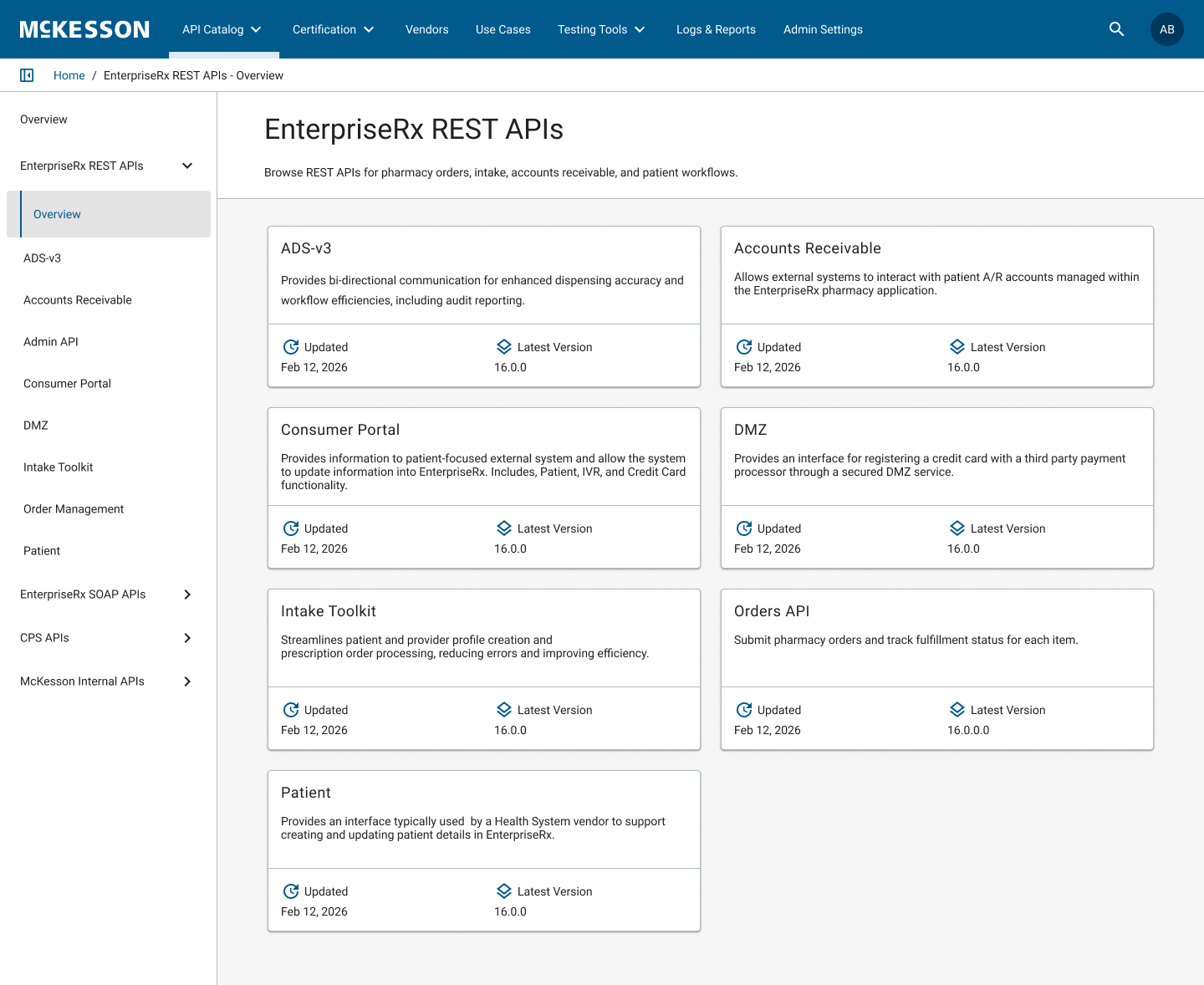
The catalog grouped related APIs and gave each a short description so developers could judge what was relevant before opening the docs.
Discovery
Let developers start with what they know
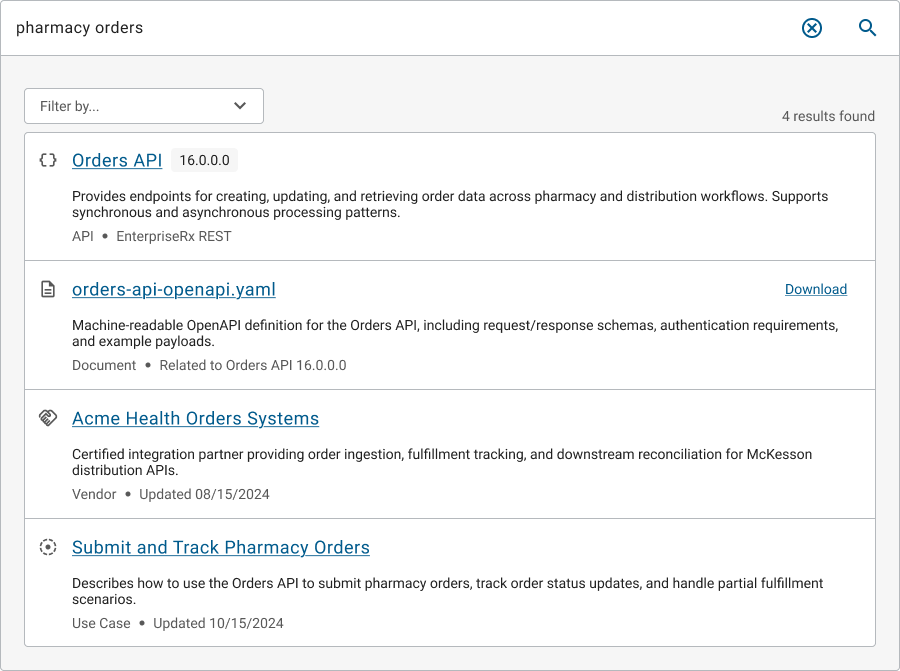
Someone who knows the product can browse by API family. Someone who only knows the task can search for “pharmacy orders” and find the relevant API, documentation, and use case together.
Signed out. Standard search returns APIs, documentation, vendors, and use cases.
AI-powered search
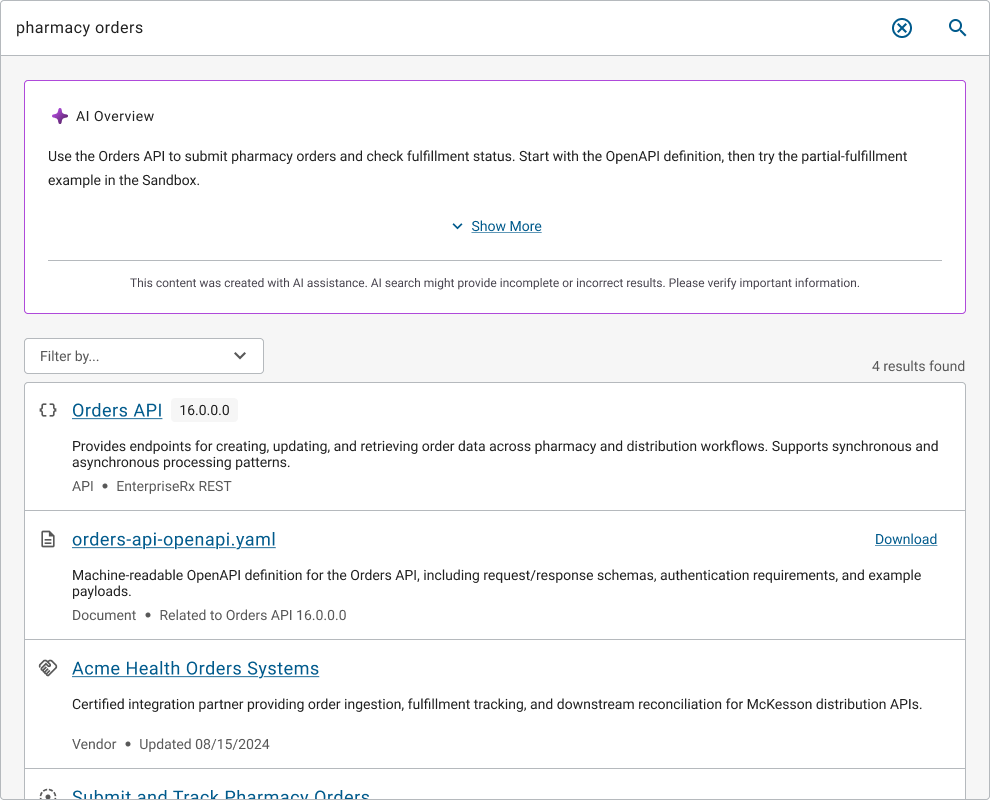
Standard search was available before sign-in. We kept AI search behind sign-in because each AI query had a cost and unrestricted use could run up those costs. After signing in, developers saw an expandable AI Overview above the same standard results.
Signed in. The same “pharmacy orders” query adds an AI Overview above the four standard results.
Account access
Show what’s available before asking people to sign in
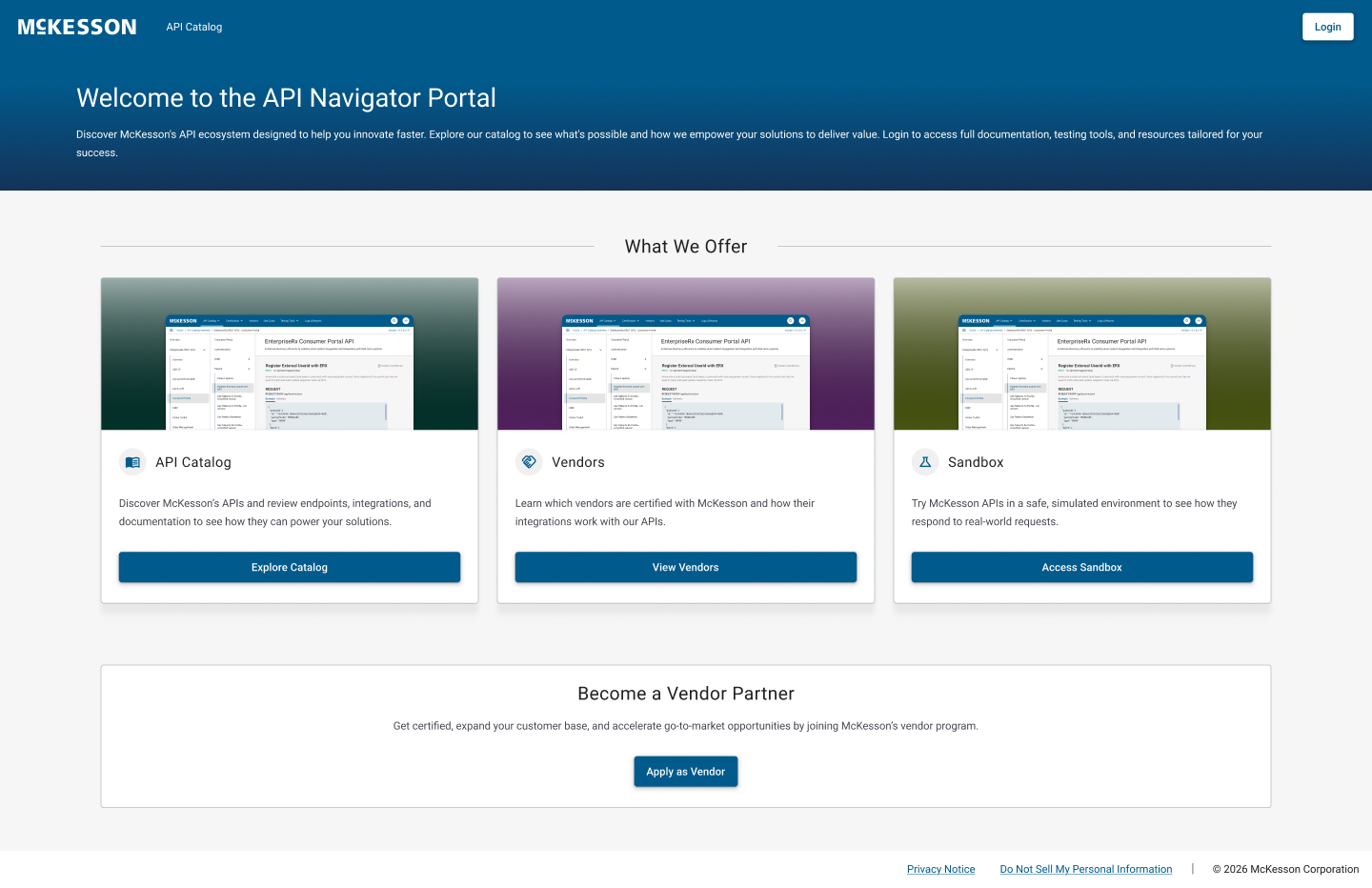
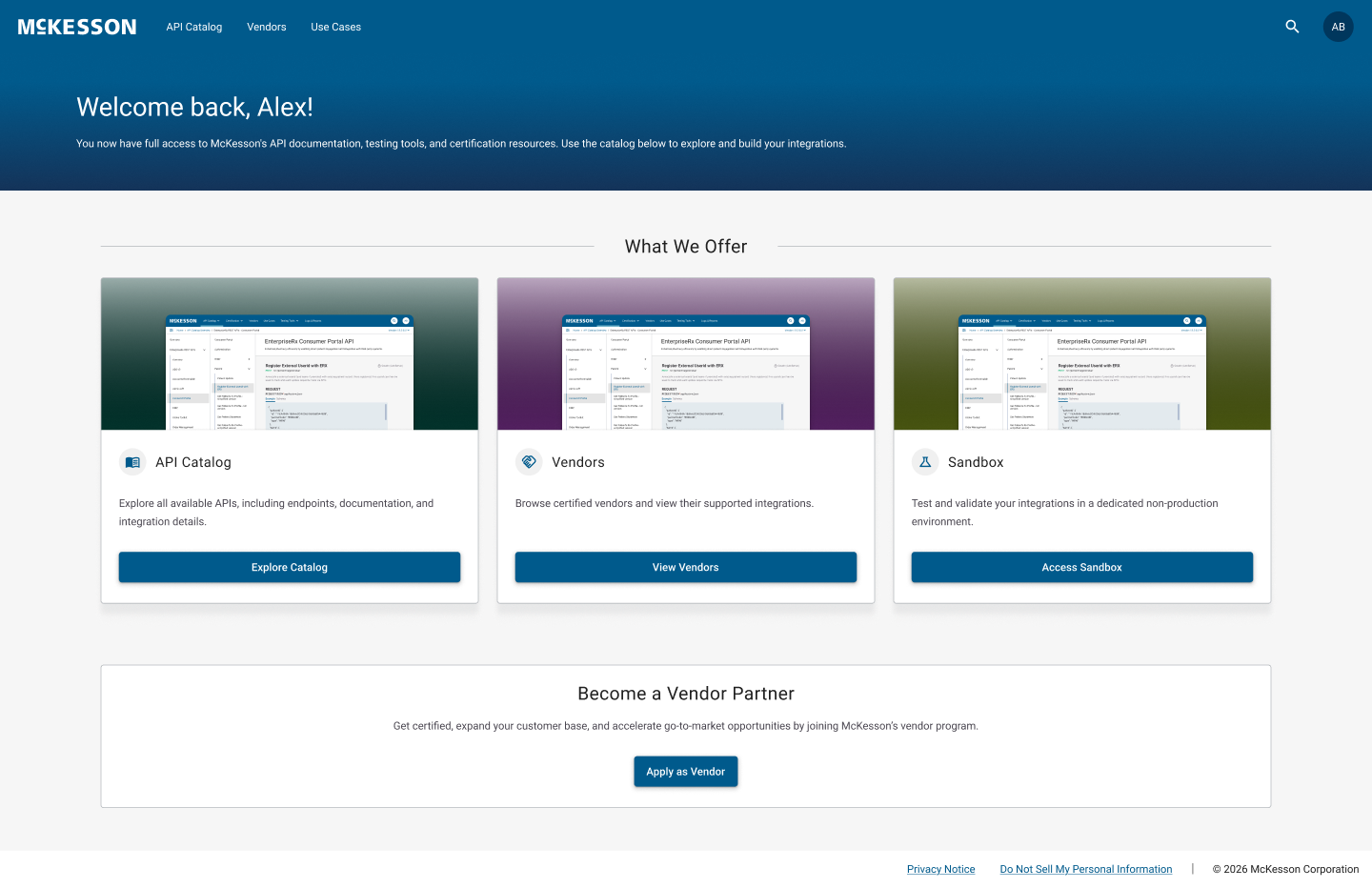
Visitors could see the breadth of the portal through the landing page and catalog navigation. Trying to open restricted material prompted them to create an account. Once signed in, they could open protected documentation and reach the testing tools.
Signed out. See what the portal offers and start exploring the catalog.Signed in. Reach the documentation and Sandbox from the same starting point.
API reference
Show developers what to send and what comes back
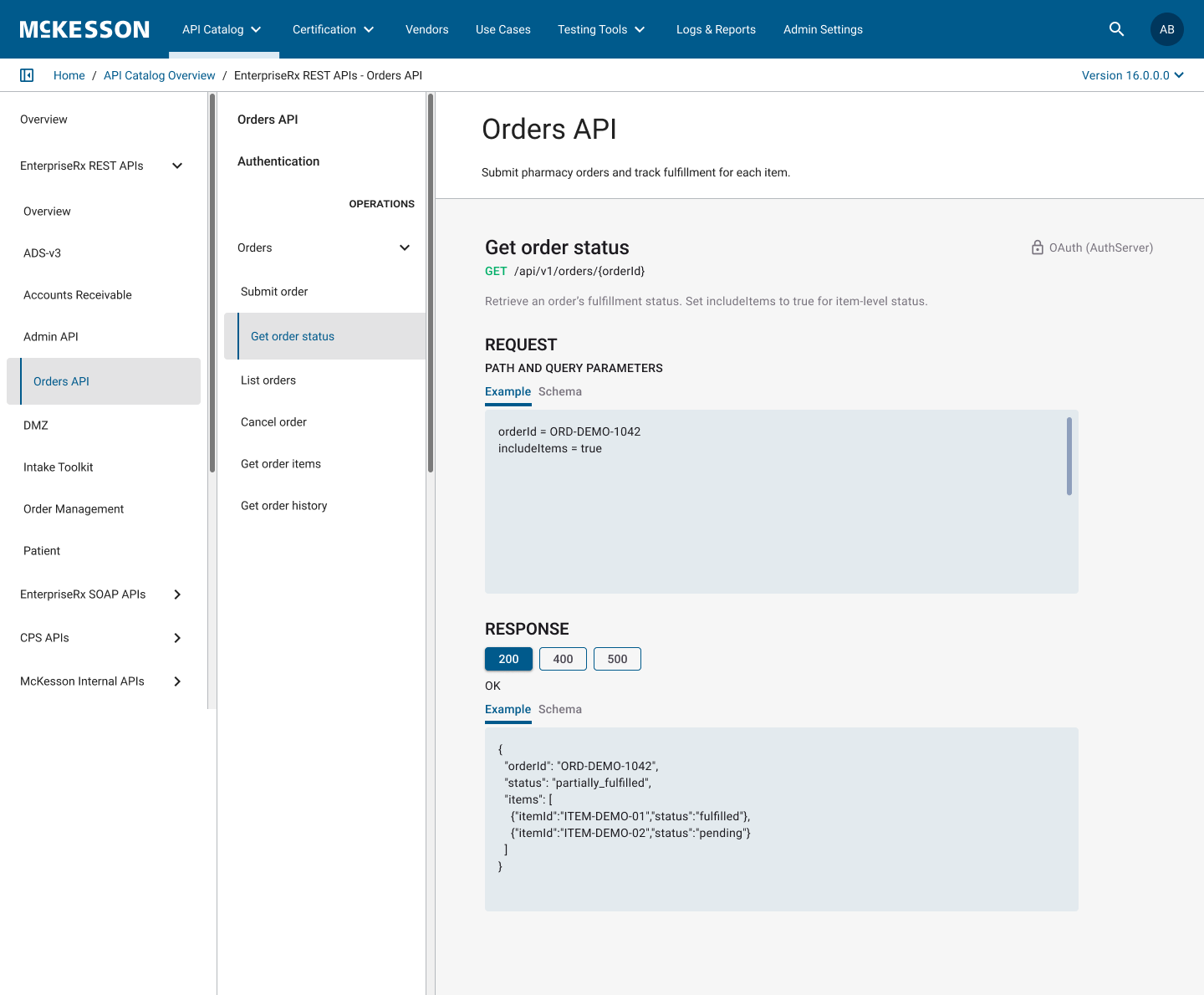
Finding an API was only the first step. We organized the reference by operation so developers could jump to Get order status, see the parameters it needs, and compare example responses before testing. RapiDoc helped render API reference content from the OpenAPI specification.
The reference shows the order ID, the option to include item status, and an example response with one fulfilled and one pending item.
Developer Sandbox
Make API behavior concrete before integration
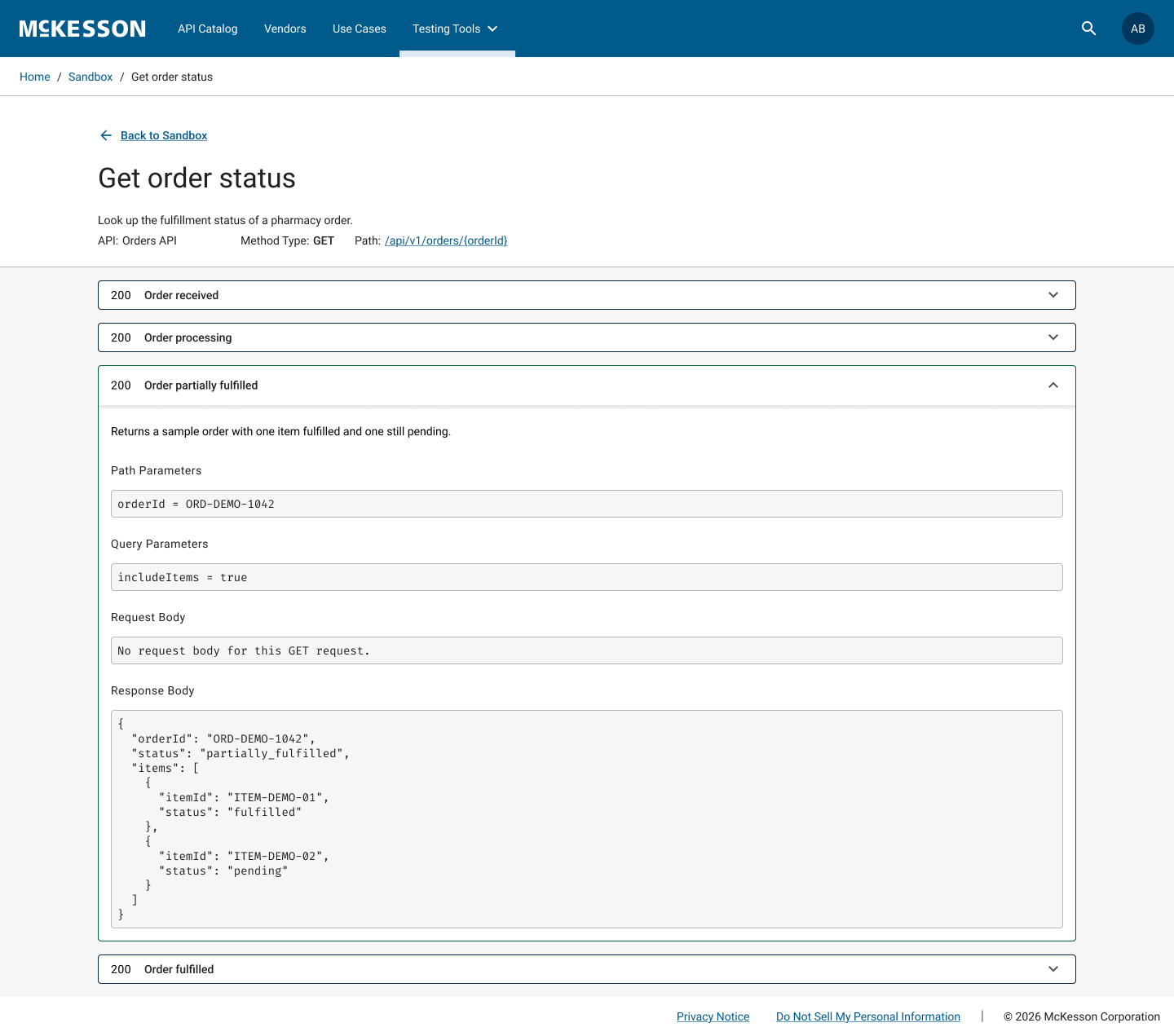
For the pharmacy order example, the Sandbox pairs a sample request with a mock response showing one fulfilled item and one pending item. Developers could see how partial fulfillment is represented, then use the code provided in the portal to test from their own systems.
The scenario gives developers a specific response to build and test against.
Scenario maintenance
Give McKesson a way to maintain those examples
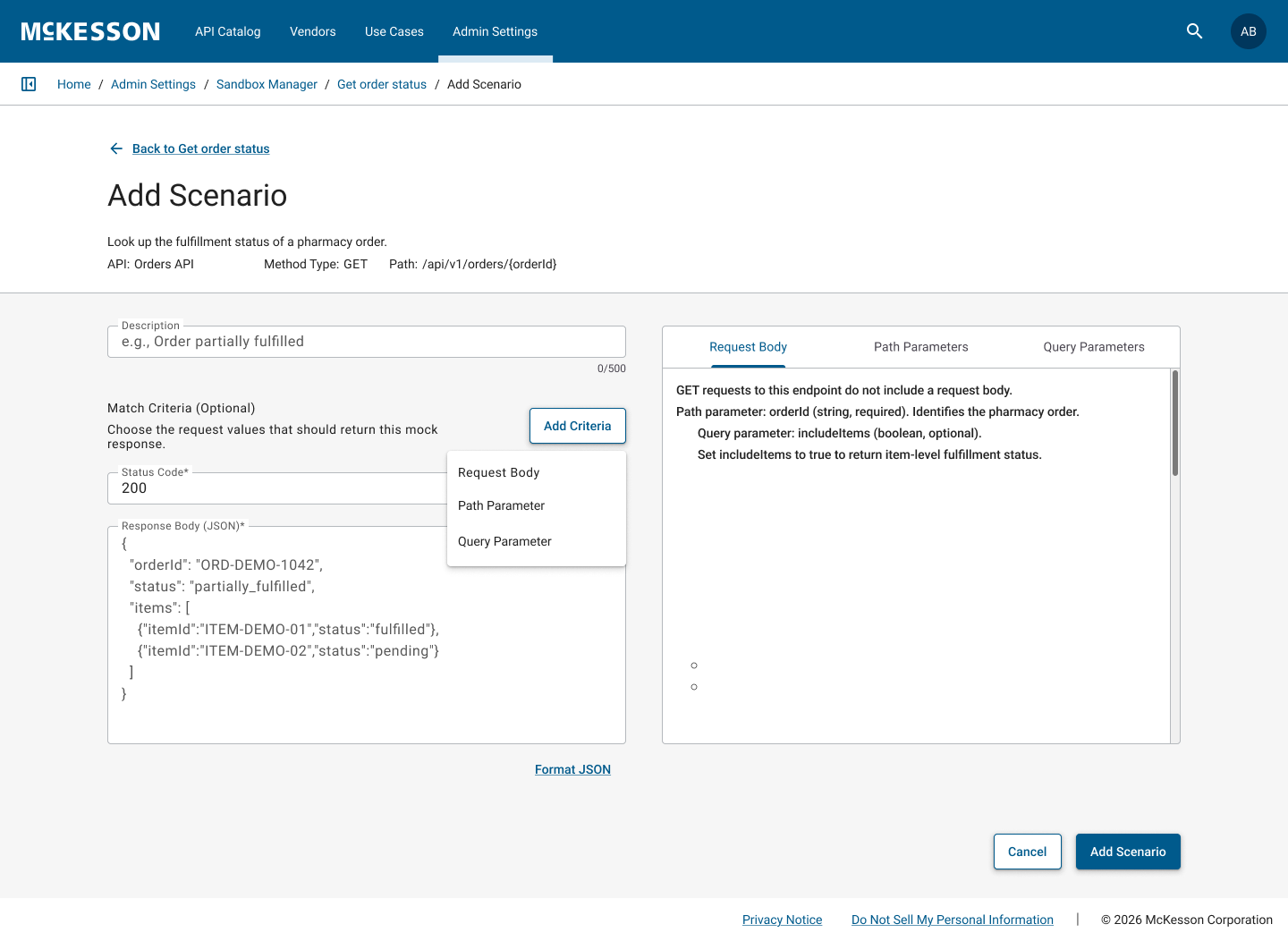
The developer experience depended on McKesson being able to set up useful scenarios. I designed the admin workflow around two decisions: which request values should match, and what the Sandbox should return. Keeping the request reference beside the form let admins check the available fields while defining a response.
An admin can set up the mock response that the developer sees in the partial-fulfillment example.
Portal governance
Give McKesson’s team control of the portal content
Self-service for developers depended on the people keeping the portal current. We built Admin Settings around two jobs McKesson’s internal team could handle without engineering intervention: maintaining the API reference and managing the pages that explain how to use it.
API Manager
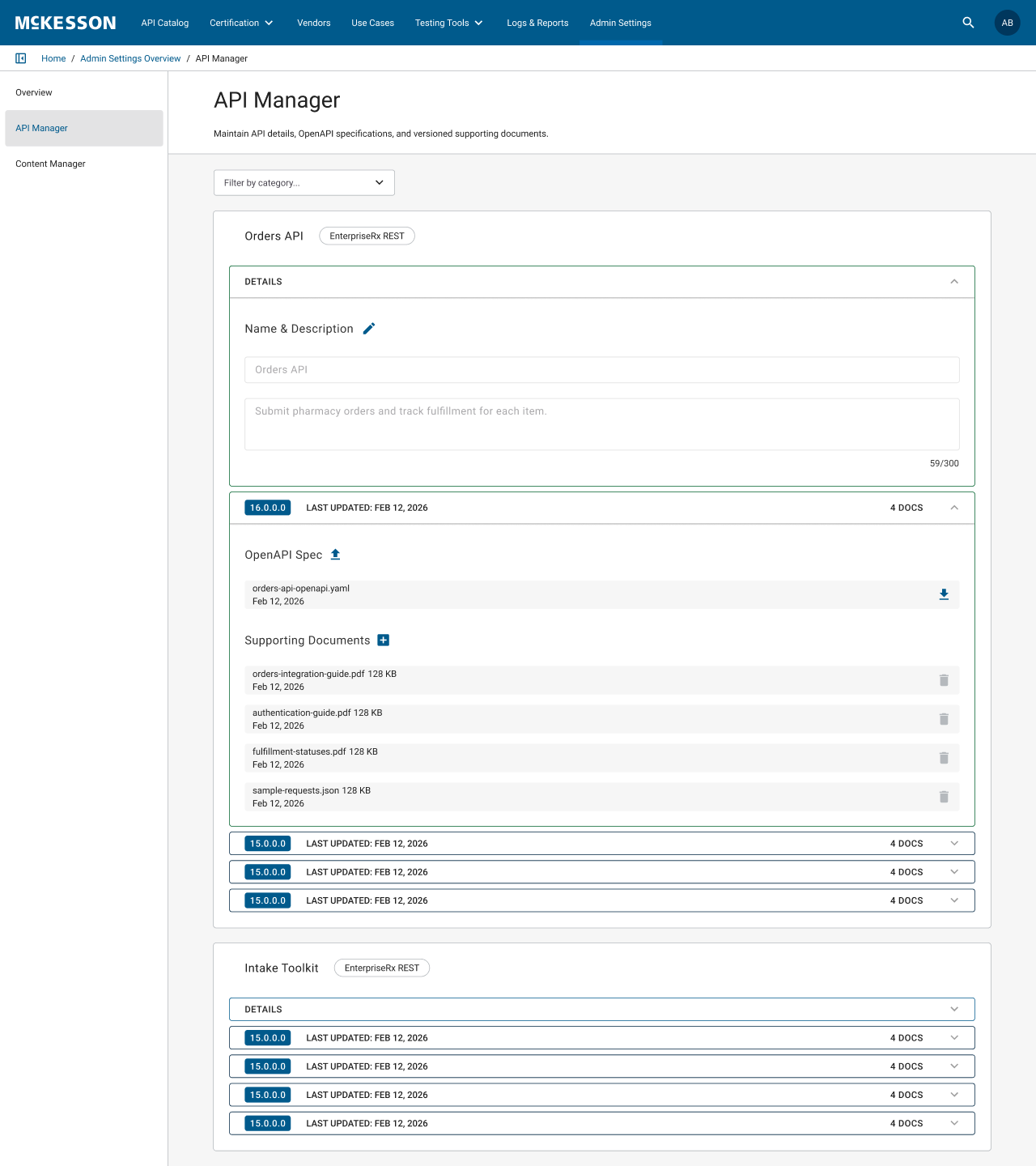
Team members could update an API’s name and description, upload a new OpenAPI specification, and attach supporting documents to the relevant version. We used RapiDoc for the API reference and built the surrounding management workflow for McKesson’s team.
The Orders API entry brings its description, OpenAPI file, and supporting documents together by version.
Content Manager
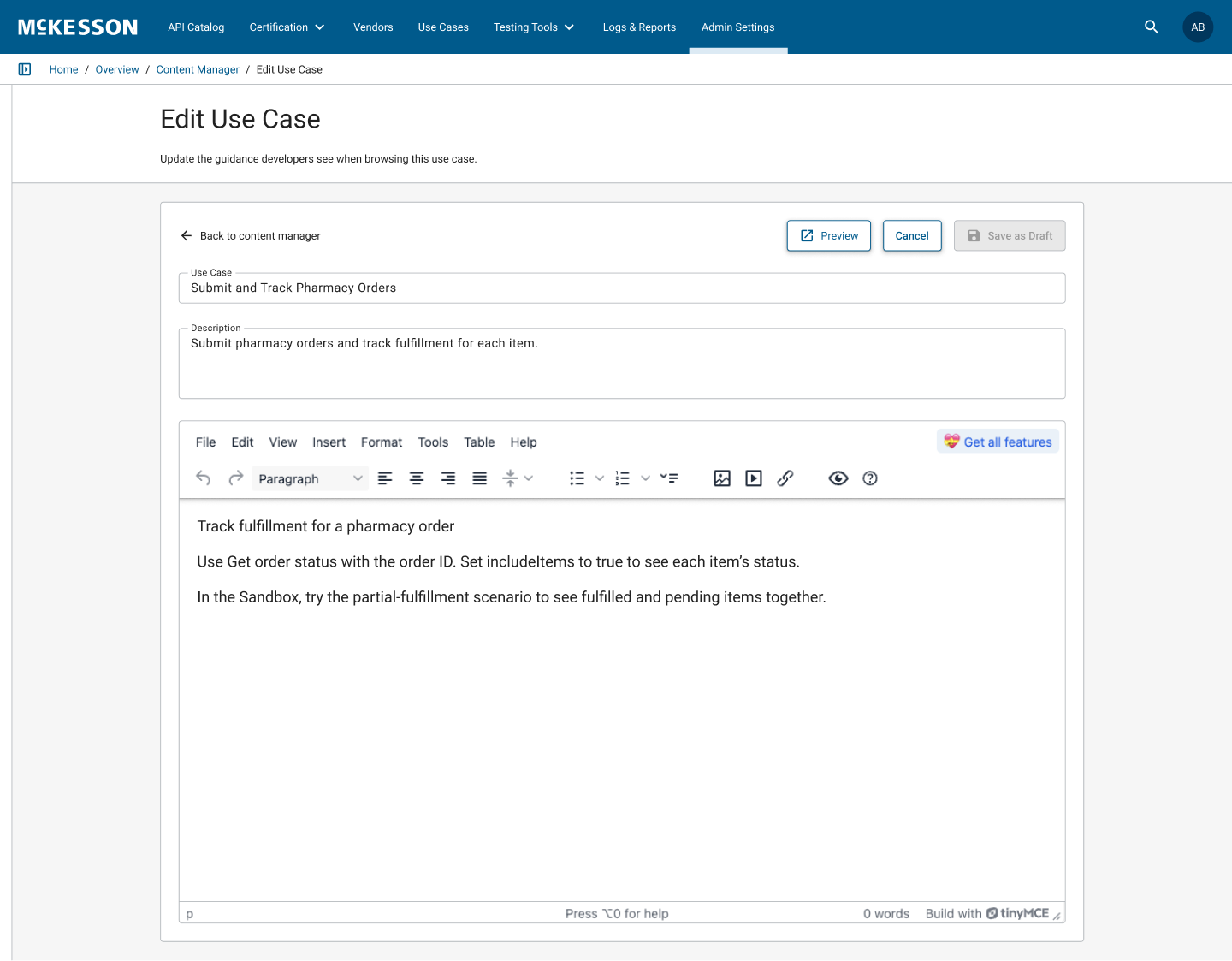
Team members could create, preview, publish, and remove portal pages themselves. We integrated TinyMCE so they could edit rich text directly in the portal, including use cases that walk developers through tasks such as tracking pharmacy orders.
The editor lets McKesson’s team maintain the guidance developers find alongside the API reference.
What the portal made possible
Developers had a path from finding an API to testing an example in their own environment. McKesson’s team could maintain the API reference, supporting documents, portal pages, and test scenarios themselves. Post-launch usage and support metrics are unavailable.